
Key Points
- Save time and avoid expensive errors by planning out your tech setup.
- Use wired internet as it’s fast and wireless if you need convenience.
- Antivirus systems and firewalls protect data.
- Update the systems and replace hardware/software components.
- Get commercial units with a contemporary style.
Introduction
Setting new tech up in a commercial environment is a heavy lift. It is your business foundation. Great technology should always make your job quicker, safer, and more convenient.
It keeps your team connected and gives your office a modern look. But if you want to really nail it, then you need to plan it. Below are the handy tips for tech infrastructure that will help you build a professional and intelligent tech setup for your business.
1. Business Technology Planning
A plan is the foundation of every good commercial tech setup. Before purchasing anything, one must know their needs. Think about your business. Who is going to be working there? What daily work will they be doing?
Write down the devices you need. Do you need to connect them to Wi-Fi or a hard-wired network? Where will the cables go? A useful strategy keeps you organized. This will save time and prevent some very expensive mistakes down the road. Also know about the role of technology in modern business spaces.
2. Get Fast and Reliable Internet
It is vital that your tech system, which you will depend on heavily, is connected to the internet. Without a good internet connection, everything takes forever. Opt for a high-speed business internet plan.
You need good bandwidth if your team shares large files or is constantly working online. Inquire about the upload and download speed from your internet provider. Also, get a backup plan.
Sometimes the main line fails. You must have a secondary connection, so the team can work easily. The Wi-Fi router must be in the center of the office. This enables your signal to go everywhere. Do not place it close to metal or thick walls.
3. Use Wired and Wireless Together
Wi-Fi is flexible and easy. A wired internet is much quicker and more secure. The best business IT infrastructure uses both. Wire servers, host computers, and printers. These devices need a stable internet.
People often use Wi-Fi for phones and laptops. This means the office team can work under any conditions. The cords can be hidden behind walls or in trays. This looks nice and keeps people from tripping over it.
4. Buy Quality Equipment
Things start off looking good, but get ugly fast if you get cheap hardware. Buy strong, reliable equipment. Select routers, switches, and computers built for business.
Ensure every device is ready to take on your workload. An ideal computer must have sufficient memory and storage. A printer should be able to print day in and day out without giving you issues. Pay a bit more now so you do not have to throw away cash later.
5. Set Up Neat Cabling
When done correctly, cabling is neat and efficient for your system. Messy cables are confusing. Label each cable clearly. Use clips and ties to keep them in place. The network and power cables must be separate. If you expect to move desks or switch up layouts, then try some flexible cabling. You can change it in the future easily.
6. Have Power Backup
Power outages can halt operations or harm equipment. Always plan for it. For computers and servers, use UPS. It powers a device in the short term during an electricity failure. Invest in a generator if you cannot afford to stop your business even for a minute. Use surge protectors, too. These protect devices against power spikes.
7. Add Advanced Cameras and Locks
Your office also deserves to be safe. This is why security cameras and access systems come in very handy. Install cameras at entry points and storage areas. Go with models that you can access on your phone. Use any specific cards or codes for the locks. Only your office team should have access. Ultra-modern locks keep a record of anyone who enters the office premises.
8. Keep the Place Cool
Heat is generated by computers, servers, and routers. Overheating can slow or break them. Place them in dry, well-ventilated spaces. Fans or air conditioning will help regulate temperature. Frequently clean and dust off vents. This supports good air circulation.
9. Maintain Your System
Every tech setup needs care. Do regular checks on everything. Clean your devices and update your software. Test your backups. Seek expert advice from an IT firm when in need. They can recognize problems before they turn into a big issue. Regular care makes your tech perform like new.
10. Keep It Simple
Simple systems work best, so you must avoid too many gadgets. Select tools that actually help your work. It’s easy to maintain the simple setups. Anyone can troubleshoot or update them. The team can focus on their work if the systems are simple. They should not waste time on solving tech issues.
11. Get Expert Help
Get the technologists you need if this is not your area. They can design, install, and test your system. They ensure the wiring, internet, and devices work together. An initial setup from a pro can save you significant repair costs in the long run.
12. Test Everything
Test everything before you open your space. Run your internet speed test. Print a file and test every power outlet. Check your security cameras. Make a phone call to see if the connections work. Testing helps you detect and fix problems early.
13. Design for Convenience
Your team’s comfort matters. Arrange desks to allow sunlight in. Keep noise low. Get comfortable chairs and screens positioned at the right height. A happy team works better, and your tech runs smoothly in a peaceful environment.
14. Review and Update
In this modern era, new tech features come out every week. Review your system twice a year. See what is outdated or slow. Update software, replace old devices, and clean up your data. Staying updated keeps your business strong.
25 Van Zant: The Ideal Space for Your Business
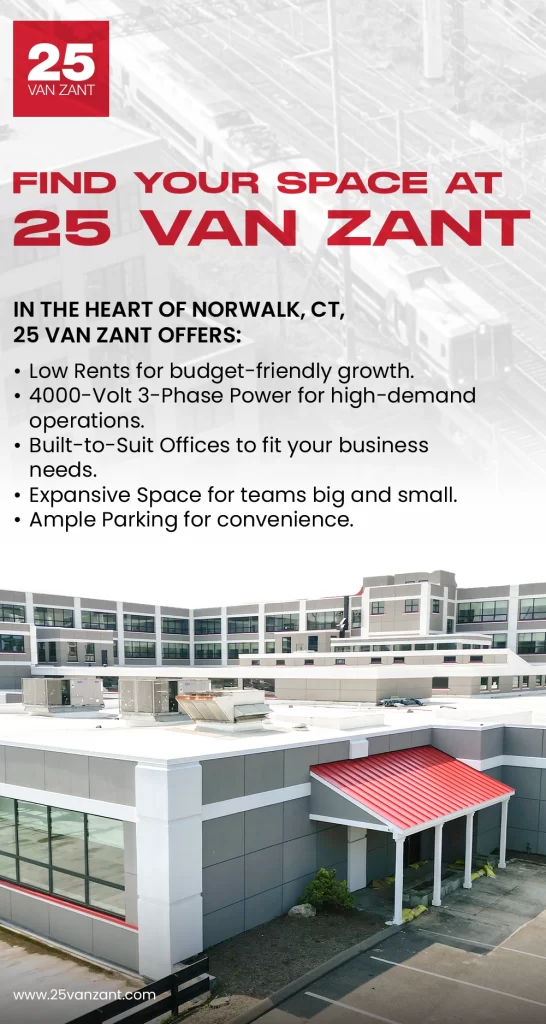
Are you looking to move into a space with all modern tech features? Come to 25 Van Zant. Our commercial spaces in CT are built on solid tech foundations. Expect rapid internet, smart layouts, and durable electrical systems. You can begin your work instantly without any setup delays.
Grow your business with our modern and secure business spaces in CT that adapt to your needs. The company gives you a place for efficient business work. Contact us now to find out more!
Frequently Asked Questions
Do offices have wired or wireless internet?
Use both. Wired gives you speed and stability. Wireless gives flexibility and coverage for your mobile devices.
How to keep an office network safe?
Use strong passwords with a combination of letters, symbols, and numbers. People use antivirus software and firewalls. The employees must have some knowledge of cyber security.
Does a tech system need maintenance?
Yes. Make it a routine to check all the devices. The IT department must update the software and test the backups from time to time.